ECHO Program
Supporting primary healthcare providers to manage complex patient presentations by sharing knowledge, disseminating best practices, supporting integrated care and building communities of practice.
About ECHO
ECHO is a virtual peer-learning model for primary health care providers, including GPs, nurses, and allied health professionals. By combining presentations and case discussions, ECHO builds supportive communities to enhance knowledge and confidence in managing complex patient conditions locally.
Upcoming ECHO Programs
Bowel & Cervical Cancer Screening – Murray Bridge Hybrid
Bridgeport Hotel, 2 Bridge St, Murray Bridge
Hands-On Skin Cancer Workshop for GPs and Nurses – Ceduna
Ceduna Foreshore Hotel, 32 O’Loughlin Terrace, Ceduna
Understanding and Responding to Substance Use – Port Pirie Hybrid Event
Port Pirie Sporting Precinct, 50 Mary-Elie Street, Port Pirie SA 5540
Hands-On Skin Cancer Workshop for GPs and Nurses – Port Augusta
Ceduna Foreshore Hotel, 32 O’Loughlin Terrace, Ceduna
Not heard of Project ECHO® before?
primary care providers and to increase access to specialist-level care in rural and underserved populations.
The ECHO model has since spread to 180 countries and delivered over 3,700 ECHO Programs worldwide.
SAPMEA is the first ECHO Hub established in South Australia to deliver the ECHO model to our local healthcare community.
Learn more about the global Project ECHO® movement on the ECHO Institute website.
How to ECHO
How ECHO sessions work
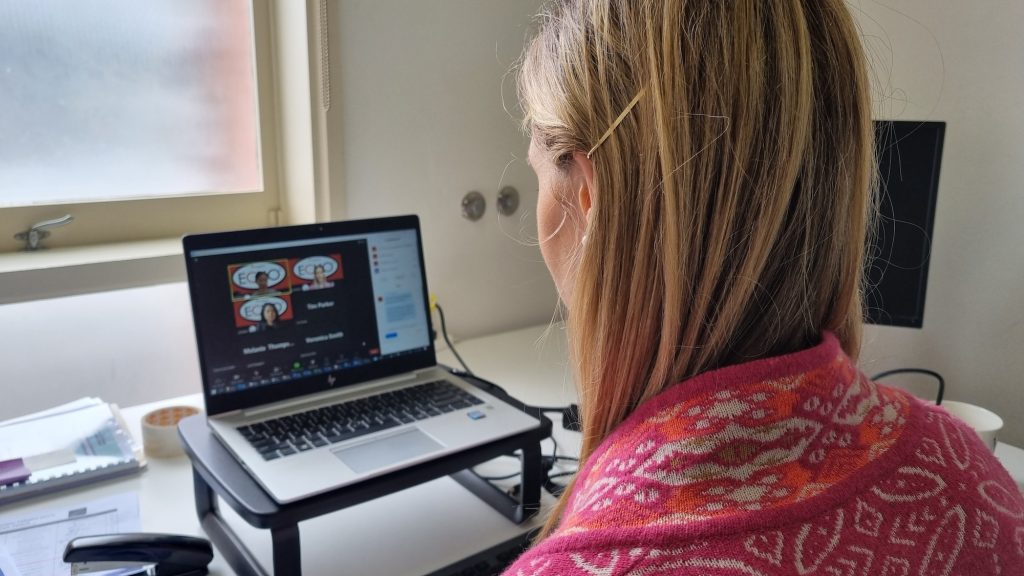
- Participants from different locations connect at regular scheduled times with each other and a panel of multi-disciplinary specialists through Zoom videoconferencing.
- All participants are encouraged to have their cameras and microphones on during the session, if possible.
- Each ECHO session begins with panel and participant introductions.
- A brief educational presentation (10 minutes) is delivered by one of the panel specialists on a specific topic of interest. This is followed by a short Q&A.
- Next is the case discussions of real-life cases submitted by participants. One case will be discussed at each ECHO session.
- A participant presents their de-identified case (using the designated ECHO case template) and poses questions for the panel and participants.
- Panel members and participants will then engage in discussion about the case and provide recommendations to the presenting participant addressing their questions.
- Recommendations are summarised verbally at the conclusion of the case presentation.
- Participants will receive a certificate of attendance for CPD points for each session they attend.
How to present a case
Case discussions are the cornerstone of the ECHO model, and we encourage participants to submit a case over the course of an ECHO series. You must be registered with an ECHO network to submit a case for discussion.
Each of our ECHO networks has its own designated case template. You can download the case template from the ECHO network webpage.
- Download and submit your completed case template to ECHO@sapmea.asn.au.
- An ECHO ID# will be assigned to your case, and this ID# as well as the date of your scheduled case presentation will be confirmed by the ECHO Coordinator via email/phone.
- During the ECHO session, the facilitator will call on you to present your case. Please have your video camera and microphone on for the session.
- Share with the ECHO network members the relevant details relating to your case, including any questions or challenges that you are seeking advice or feedback on. Your case will be displayed on screen as you talk to it.
- The facilitator will then promote discussion among participants and panel members to address the questions or challenges that you have raised for advice and feedback.
- At the conclusion of the discussion, the facilitator will verbally summarise the recommendations provided by the network participants.
- Protect Patient’s Privacy. How To Protect Your Patients Privacy
How to use Zoom
All ECHO sessions will be delivered via the Zoom platform. The ECHO Coordinator will provide participants with the Zoom session link following confirmation of your registration in an ECHO network.
Zoom is free to use and can be accessed on any computer or mobile device that is equipped with a camera and microphone. You do not need a Zoom account to participate in an ECHO session.
If you haven’t used Zoom before, you will be prompted to install the browser extension the first time you try to connect via the Zoom link provided. This is an easy process and most computer and device platforms will do this for you. It is recommended that you complete this prior to your first ECHO session, as the process does take a few minutes to run.
The Zoom software is easy to install and intuitive to use but if you need any guidance, please see the official Zoom guide here, or get in touch with the ECHO Coordinator at ECHO@sapmea.asn.au.
You can find out more about Zoom here: https://zoom.us/
ECHO Program Partners